
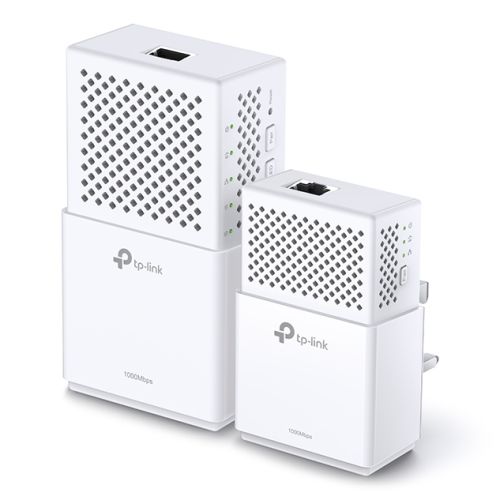
TP-LINK (TL-WPA75100 KIT) AC733 Wireless Dual Band Powerline Adapter Kit, AV2 1000, 1-Port
TP-LINK (TL-WPA75100 KIT) AC733 Wireless Dual Band Powerline Adapter Kit, AV2 1000, 1-Port
Description
- Homeplug AV2 standard compliant – High-speed data transfer rates of up to 1000Mbps, supports all your online needs
- Dual band 802.11ac Wi-Fi – Extends 2.4GHz (300Mbps) + 5GHz (433Mbps) dual band Wi-Fi speeds to every room of your house
- Wi-Fi Auto-Sync – Simple setup with Wi-Fi Clone and setting in sync with Wi-Fi Move
- Gigabit Ethernet port provides reliable high-speed wired connections for gaming or streaming.
- Plug, Pair and Play – Set up your powerline network and start enjoying fast, seamless wired/wireless connection in minutes
Extend Your Powerline Network to Any Room
Based on the Powerline technology, your network extension is never limited to the primary coverage of your router.
With advanced HomePlug AV2, TL-WPA7510 KIT is perfect for delivering ultra-fast data transfer speed and brings network to anywhere there is a power outlet.
Dual Band 802.11ac Wi-Fi
With the 802.11ac Wi-Fi technology, you can create a dual band Wi-Fi network (simultaneous 300Mbps on 2.4GHz and 433Mbps on 5GHz) with more bandwidth and less interference, maximizing the performance of your Powerline network.
Gigabit Ethernet for Ultra-fast Data Transfer
With one Gigabit Ethernet port, TL-WPA7510 KIT allows users to connect a bandwidth intensive device to the Internet at high speeds and ensures the smooth transmission of Ultra HD video streaming. This makes the TL-WPA7510 KIT the perfect home entertainment companion.
Wi-Fi Auto-Sync for Unified Wi-Fi Network
Wi-Fi Auto-Sync creates a simple, intuitive powerline experience. Pressing the Wi-Fi Clone button instantly copies your network name and password from your router for easy setup. Wi-Fi Move automatically applies any settings changes across the network. Your existing Wi-Fi settings will be synchronized to the new extender automatically.
Plug, Pair and Play!
1. Plug the TL-PA7010 in the wall and connect it to the router with an Ethernet cable.
Then plug the TL-WPA7510 in any desired power outlet.
2. Press the ‘Pair’ buttons on both adapters to create a secure network.
There you go! Just enjoy the seamless, high speed wired and wireless network.
Find the LEDs Disturbing?
You can easily turn off the LED indicators by pressing the LED On/Off button or control them remotely using the tpPLC App* on your mobile device or the tpPLC Utility on your computer.
Additional information
| Weight | 0.7370 kg |
|---|


